MakeID Label3.4.2
Publisher Description

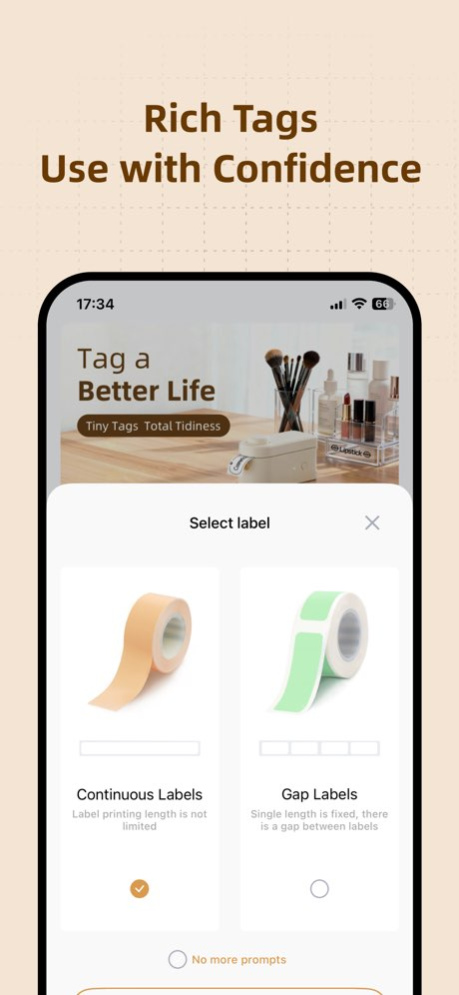


MakeID Label is an app that connects to printers via Bluetooth to edit and print labels. It supports printing various types of life organization labels, such as for household items, food, medicine, etc., making your item storage simple and efficient.
It also offers a rich selection of fonts, symbols, borders, and templates, allowing you to easily create personalized label designs-keeping your life both organized and fun!
Version History Bug fixes and user experience improvements. 3.4.2 Sep 28 fix some bugs 3.4.1 Sep 24 Added compatibility with S1 Pro printer 3.4.0 Mar 27 Fix some bugs and optimize user experience 3.3.2 Jan 13 Fixed some bugs and optimized user experience. 3.3.1 09/18/2025 1、New language support:Traditional Chinese
2、Optimized user experience 3.3.0 09/08/2025 1.New Device Support: S2, E1
2.New Languages Added: French, Italian, German, Spanish, Korean
3.User Experience Optimizations 3.2.0 07/22/2025 Optimized user experience 3.1.0 04/15/2025 1、New language support: English, Japanese
2、Optimized user experience 3.0.0 04/11/2025 处理一些问题,优化用户体验 2.4.3 02/17/2025 修复已知bug,优化用户体验 2.4.2 02/13/2025 修复已知bug,优化用户体验 2.4.1 02/07/2025 1、L1机型新增标签识别功能
2、用户体验优化 2.4.0 01/22/2025 1.优化部分功能
2.修复已知bug,提升用户体验 2.3.0 10/21/2024 1.优化部分功能
2.修复已知bug,提升用户体验 2.2.9 10/16/2024 新增备案号查询以及用户体验优化 2.2.8 06/07/2024 1、适配新机型S1 Pro,敬请期待吧
2、修复已知问题,优化用户体验 2.2.7 05/27/2024 1、S1 机型适配优化
2、修复已知问题,优化用户体验 2.2.5 04/22/2024 1、优化S1标签机自定义按键交互
2、修复已知问题,用户体验优化 2.2.4 02/23/2024 修复已知问题,优化用户体验 2.2.3 02/02/2024 修复已知问题,优化用户体验 2.2.2 12/07/2023 修复已知问题,优化用户体验 2.2.1 12/01/2023 修复已知问题,用户体验优化 2.2.0 11/17/2023 修复已知问题,提升用户体验 2.1.9 11/07/2023 1、优化编辑器,新增元素撤销恢复等功能
2、优化标签批量编辑,快速实现文本批量打印
3、修复已知问题,提升用户体验 2.1.8 10/25/2023
About MakeID Label
The company that develops MakeID Label is Chongqing Jingranyouxu Technology Co., Ltd.. The latest version released by its developer is 3.4.2.
To install MakeID Label on your iOS device, just click the green Continue To App button above to start the installation process. The app is listed on our website since 2026-10-08 and was downloaded 1 times. We have already checked if the download link is safe, however for your own protection we recommend that you scan the downloaded app with your antivirus. Your antivirus may detect the MakeID Label as malware if the download link is broken.
How to install MakeID Label on your iOS device:
- Click on the Continue To App button on our website. This will redirect you to the App Store.
- Once the MakeID Label is shown in the iTunes listing of your iOS device, you can start its download and installation. Tap on the GET button to the right of the app to start downloading it.
- If you are not logged-in the iOS appstore app, you'll be prompted for your your Apple ID and/or password.
- After MakeID Label is downloaded, you'll see an INSTALL button to the right. Tap on it to start the actual installation of the iOS app.
- Once installation is finished you can tap on the OPEN button to start it. Its icon will also be added to your device home screen.
Program Details
System requirements
Download information
Pricing
Version History
version 3.4.2
posted on 2026-10-08
Version History Bug fixes and user experience improvements. 3.4.2 Sep 28 fix some bugs 3.4.1 Sep 24 Added compatibility with S1 Pro printer 3.4.0 Mar 27 Fix some bugs and optimize user experience 3.3.2 Jan 13 Fixed some bugs and optimized user experience. 3.3.1 09/18/2025 1、New language support:Traditional Chinese
2、Optimized user experience 3.3.0 09/08/2025 1.New Device Support: S2, E1
2.New Languages Added: French, Italian, German, Spanish, Korean
3.User Experience Optimizations 3.2.0 07/22/2025 Optimized user experience 3.1.0 04/15/2025 1、New language support: English, Japanese
2、Optimized user experience 3.0.0 04/11/2025 处理一些问题,优化用户体验 2.4.3 02/17/2025 修复已知bug,优化用户体验 2.4.2 02/13/2025 修复已知bug,优化用户体验 2.4.1 02/07/2025 1、L1机型新增标签识别功能
2、用户体验优化 2.4.0 01/22/2025 1.优化部分功能
2.修复已知bug,提升用户体验 2.3.0 10/21/2024 1.优化部分功能
2.修复已知bug,提升用户体验 2.2.9 10/16/2024 新增备案号查询以及用户体验优化 2.2.8 06/07/2024 1、适配新机型S1 Pro,敬请期待吧
2、修复已知问题,优化用户体验 2.2.7 05/27/2024 1、S1 机型适配优化
2、修复已知问题,优化用户体验 2.2.5 04/22/2024 1、优化S1标签机自定义按键交互
2、修复已知问题,用户体验优化 2.2.4 02/23/2024 修复已知问题,优化用户体验 2.2.3 02/02/2024 修复已知问题,优化用户体验 2.2.2 12/07/2023 修复已知问题,优化用户体验 2.2.1 12/01/2023 修复已知问题,用户体验优化 2.2.0 11/17/2023 修复已知问题,提升用户体验 2.1.9 11/07/2023 1、优化编辑器,新增元素撤销恢复等功能
2、优化标签批量编辑,快速实现文本批量打印
3、修复已知问题,提升用户体验 2.1.8 10/25/2023
version 3.4.2
posted on 2026-10-01
Version History Bug fixes and user experience improvements. 3.4.2 3d ago fix some bugs 3.4.1 6d ago Added compatibility with S1 Pro printer 3.4.0 Mar 27 Fix some bugs and optimize user experience 3.3.2 Jan 13 Fixed some bugs and optimized user experience. 3.3.1 09/18/2025 1、New language support:Traditional Chinese
2、Optimized user experience 3.3.0 09/08/2025 1.New Device Support: S2, E1
2.New Languages Added: French, Italian, German, Spanish, Korean
3.User Experience Optimizations 3.2.0 07/22/2025 Optimized user experience 3.1.0 04/15/2025 1、New language support: English, Japanese
2、Optimized user experience 3.0.0 04/11/2025 处理一些问题,优化用户体验 2.4.3 02/17/2025 修复已知bug,优化用户体验 2.4.2 02/13/2025 修复已知bug,优化用户体验 2.4.1 02/07/2025 1、L1机型新增标签识别功能
2、用户体验优化 2.4.0 01/22/2025 1.优化部分功能
2.修复已知bug,提升用户体验 2.3.0 10/21/2024 1.优化部分功能
2.修复已知bug,提升用户体验 2.2.9 10/16/2024 新增备案号查询以及用户体验优化 2.2.8 06/07/2024 1、适配新机型S1 Pro,敬请期待吧
2、修复已知问题,优化用户体验 2.2.7 05/27/2024 1、S1 机型适配优化
2、修复已知问题,优化用户体验 2.2.5 04/22/2024 1、优化S1标签机自定义按键交互
2、修复已知问题,用户体验优化 2.2.4 02/23/2024 修复已知问题,优化用户体验 2.2.3 02/02/2024 修复已知问题,优化用户体验 2.2.2 12/07/2023 修复已知问题,优化用户体验 2.2.1 12/01/2023 修复已知问题,用户体验优化 2.2.0 11/17/2023 修复已知问题,提升用户体验 2.1.9 11/07/2023 1、优化编辑器,新增元素撤销恢复等功能
2、优化标签批量编辑,快速实现文本批量打印
3、修复已知问题,提升用户体验 2.1.8 10/25/2023
version 3.4.0
posted on 2026-09-24
Version History Added compatibility with S1 Pro printer 3.4.0 Mar 27 Fix some bugs and optimize user experience 3.3.2 Jan 13 Fixed some bugs and optimized user experience. 3.3.1 09/18/2025 1、New language support:Traditional Chinese
2、Optimized user experience 3.3.0 09/08/2025 1.New Device Support: S2, E1
2.New Languages Added: French, Italian, German, Spanish, Korean
3.User Experience Optimizations 3.2.0 07/22/2025 Optimized user experience 3.1.0 04/15/2025 1、New language support: English, Japanese
2、Optimized user experience 3.0.0 04/11/2025 处理一些问题,优化用户体验 2.4.3 02/17/2025 修复已知bug,优化用户体验 2.4.2 02/13/2025 修复已知bug,优化用户体验 2.4.1 02/07/2025 1、L1机型新增标签识别功能
2、用户体验优化 2.4.0 01/22/2025 1.优化部分功能
2.修复已知bug,提升用户体验 2.3.0 10/21/2024 1.优化部分功能
2.修复已知bug,提升用户体验 2.2.9 10/16/2024 新增备案号查询以及用户体验优化 2.2.8 06/07/2024 1、适配新机型S1 Pro,敬请期待吧
2、修复已知问题,优化用户体验 2.2.7 05/27/2024 1、S1 机型适配优化
2、修复已知问题,优化用户体验 2.2.5 04/22/2024 1、优化S1标签机自定义按键交互
2、修复已知问题,用户体验优化 2.2.4 02/23/2024 修复已知问题,优化用户体验 2.2.3 02/02/2024 修复已知问题,优化用户体验 2.2.2 12/07/2023 修复已知问题,优化用户体验 2.2.1 12/01/2023 修复已知问题,用户体验优化 2.2.0 11/17/2023 修复已知问题,提升用户体验 2.1.9 11/07/2023 1、优化编辑器,新增元素撤销恢复等功能
2、优化标签批量编辑,快速实现文本批量打印
3、修复已知问题,提升用户体验 2.1.8 10/25/2023 1、连续标签新增多个标签尺寸适配;
2、修复已知问题,提升用户体验。 2.1.7 09/27/2023 修复已知问题,提升用户体验 2.1.6 08/25/2023
